Now in 15 languages · On the Mac App Store

Deleted isn’t gone.
Overwritten is.

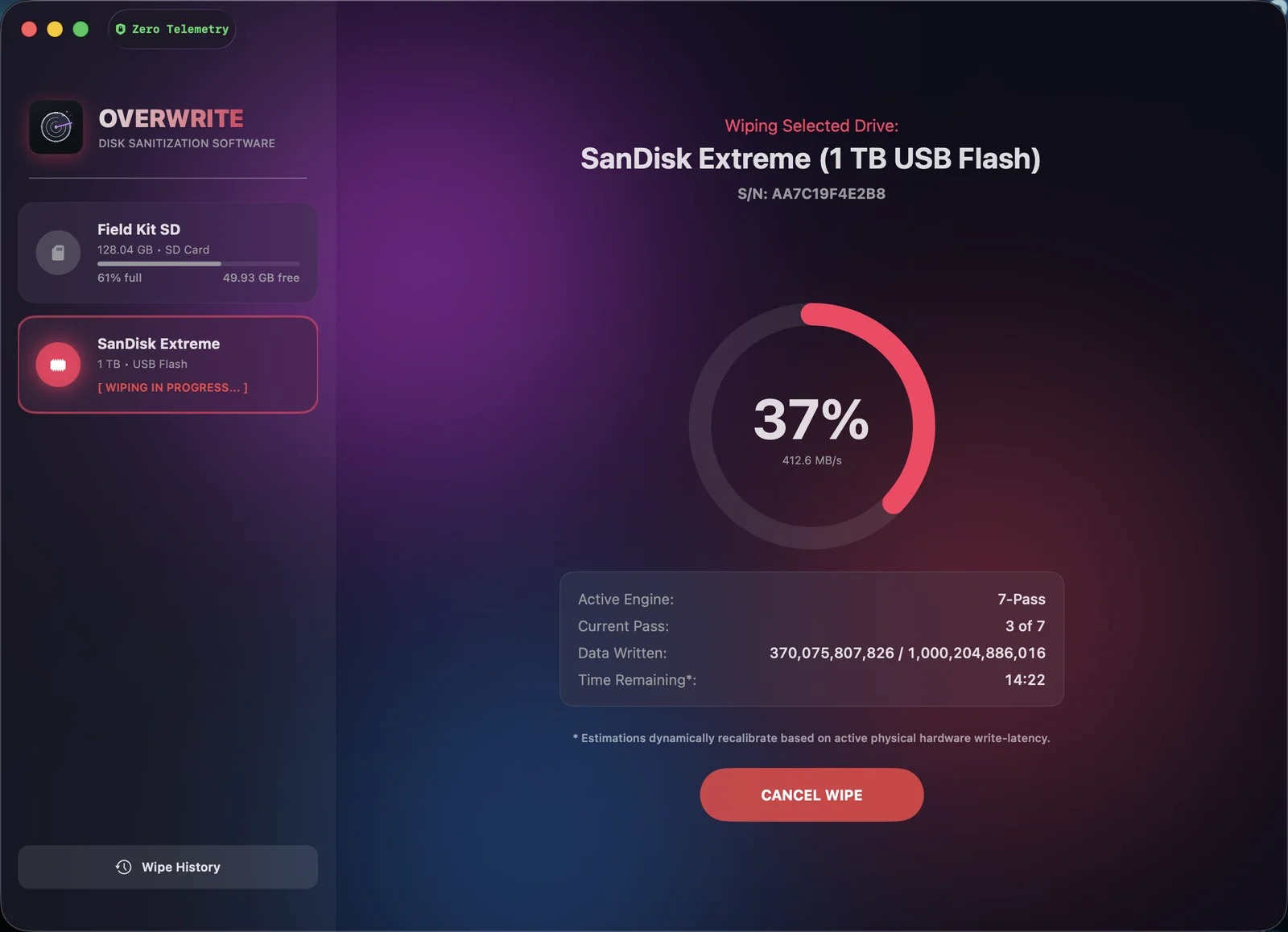
Dragging files to the Trash doesn’t destroy them — anyone with free recovery software can bring them back. Overwrite securely wipes any USB drive, SD card, or external drive with one click. Gone means gone.

No account · No tracking · 100% offline

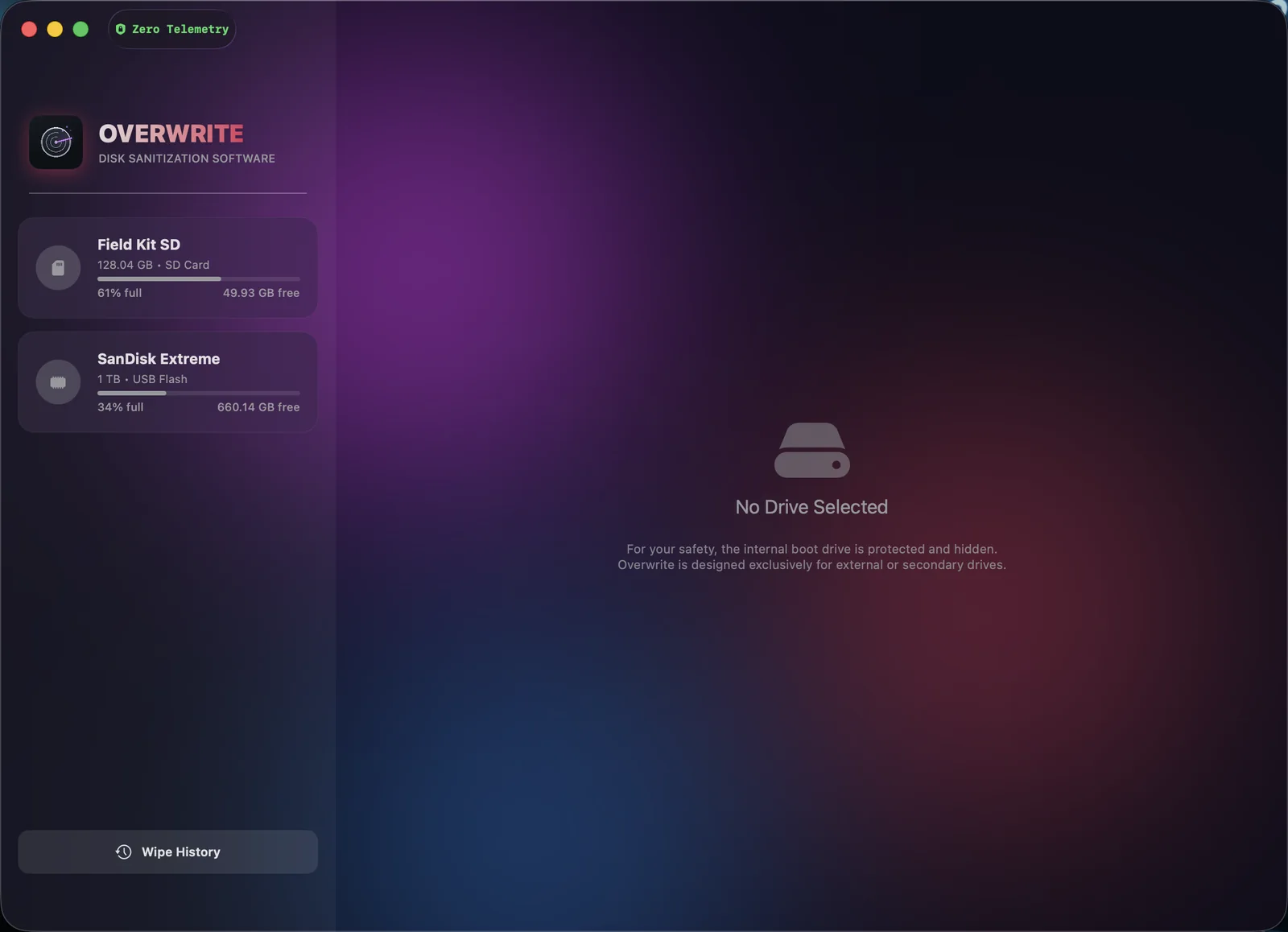
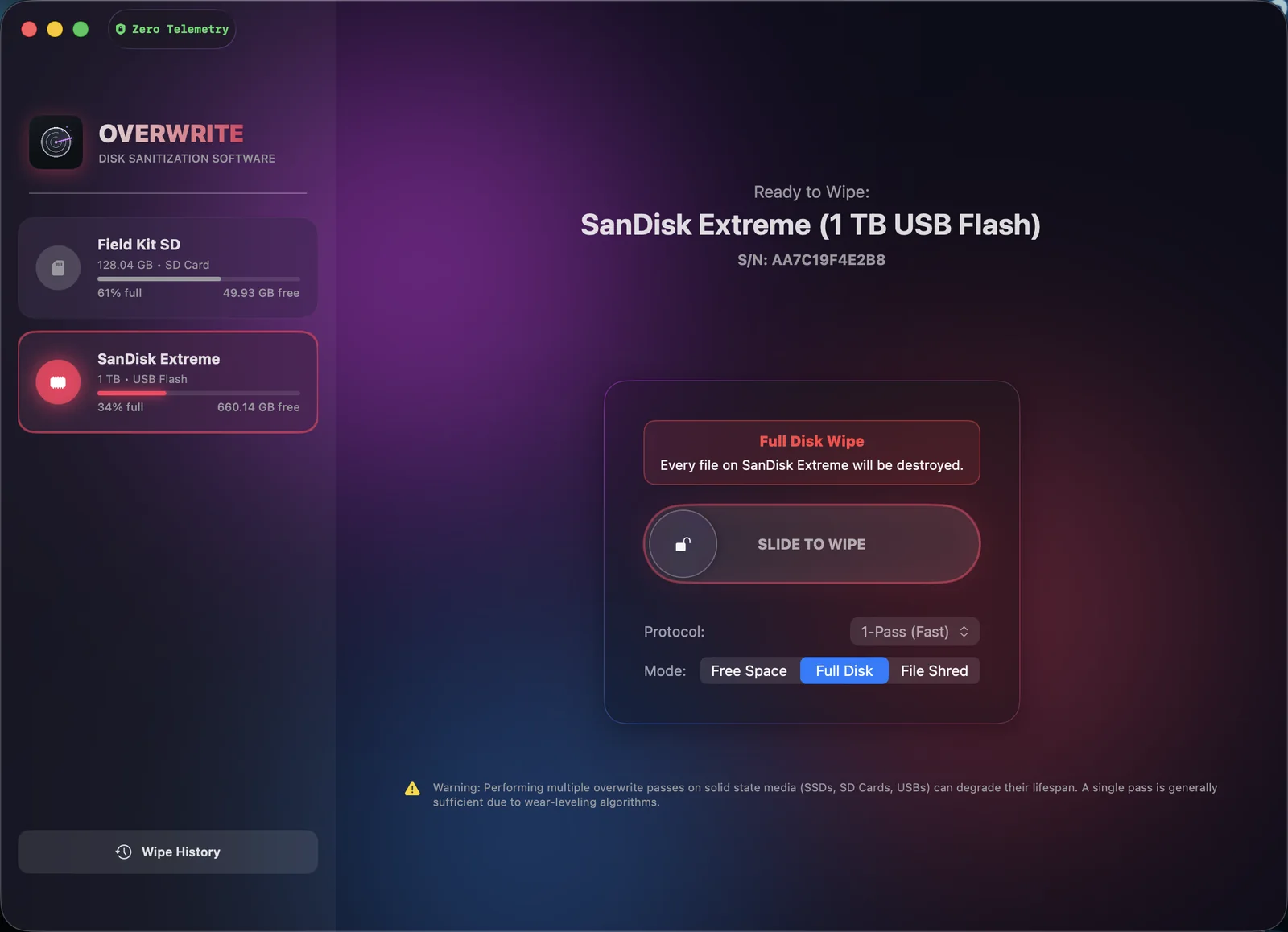
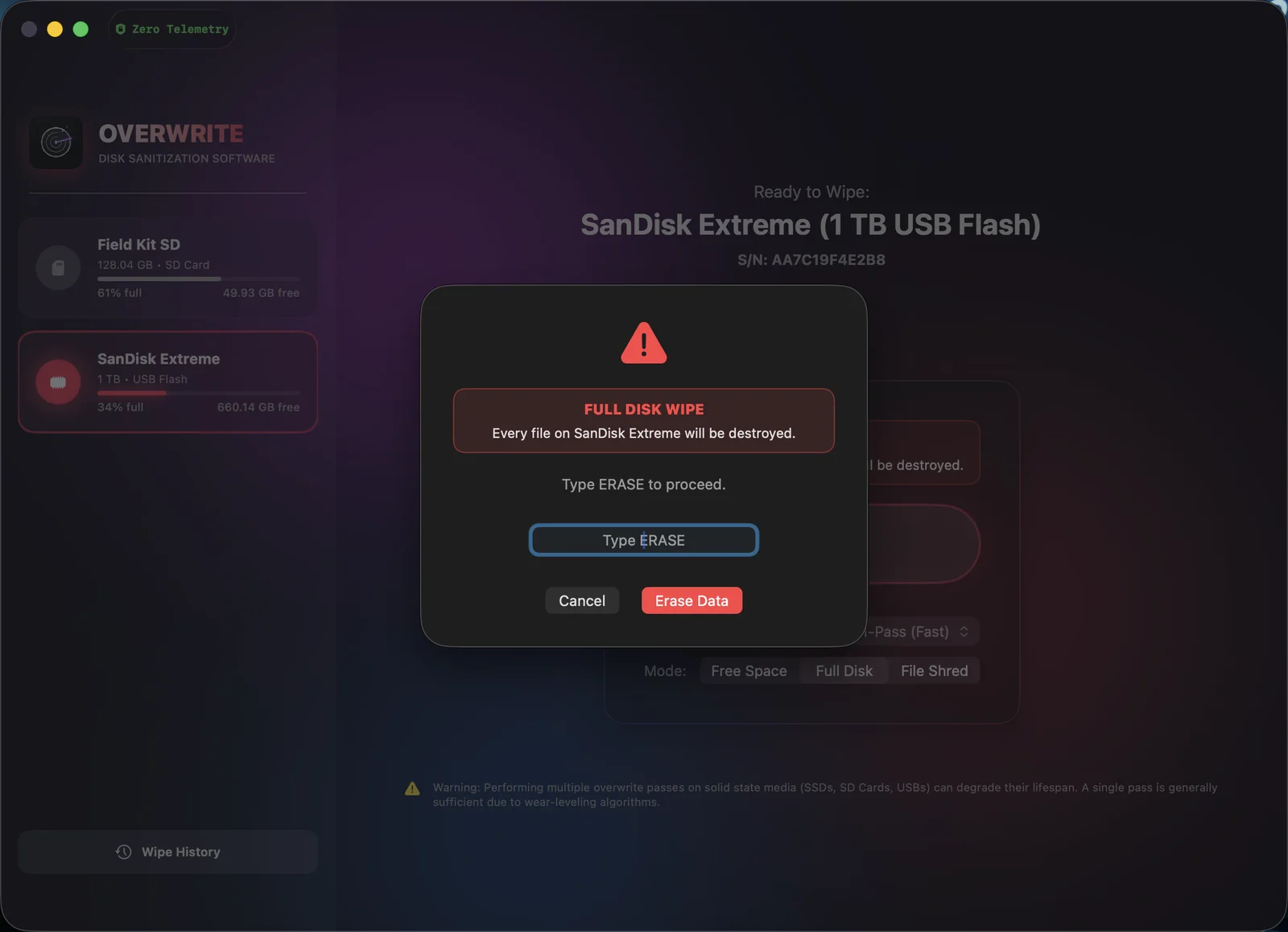
Overwrite app showing a SanDisk SD card selected and ready to wipe with the slide-to-wipe control
The uncomfortable truth

Your Trash can is lying to you.

This is what the actual bytes on your drive look like after you “delete” something. Pick a method and see what a recovery tool would find.

The files just get unlisted.

Emptying the Trash only deletes the reference to your files. Every photo, tax return, and document stays physically on the drive until something happens to write over it — which can take years.

98% of “deleted” data typically recoverable
/dev/disk4 · raw sectors READING
Selling that old drive? Everything you ever “deleted” ships with it.
Returning company gear? Your files outlive your last day.
Recycling an SD card? A free recovery tool brings the photos right back.
Interactive demo

Slide to wipe.

This is the real workflow, rebuilt in your browser. Pick a protocol, slide, and watch 30 million sectors go to zero — then get your signed certificate.

Ready to Wipe:
SanDisk SD (15.72 GB SD Card)
0% idle
SECTOR MAPPASS —
Sectors wiped
0 / 30,706,608
Time remaining
Status
Awaiting confirmation
SLIDE TO WIPE
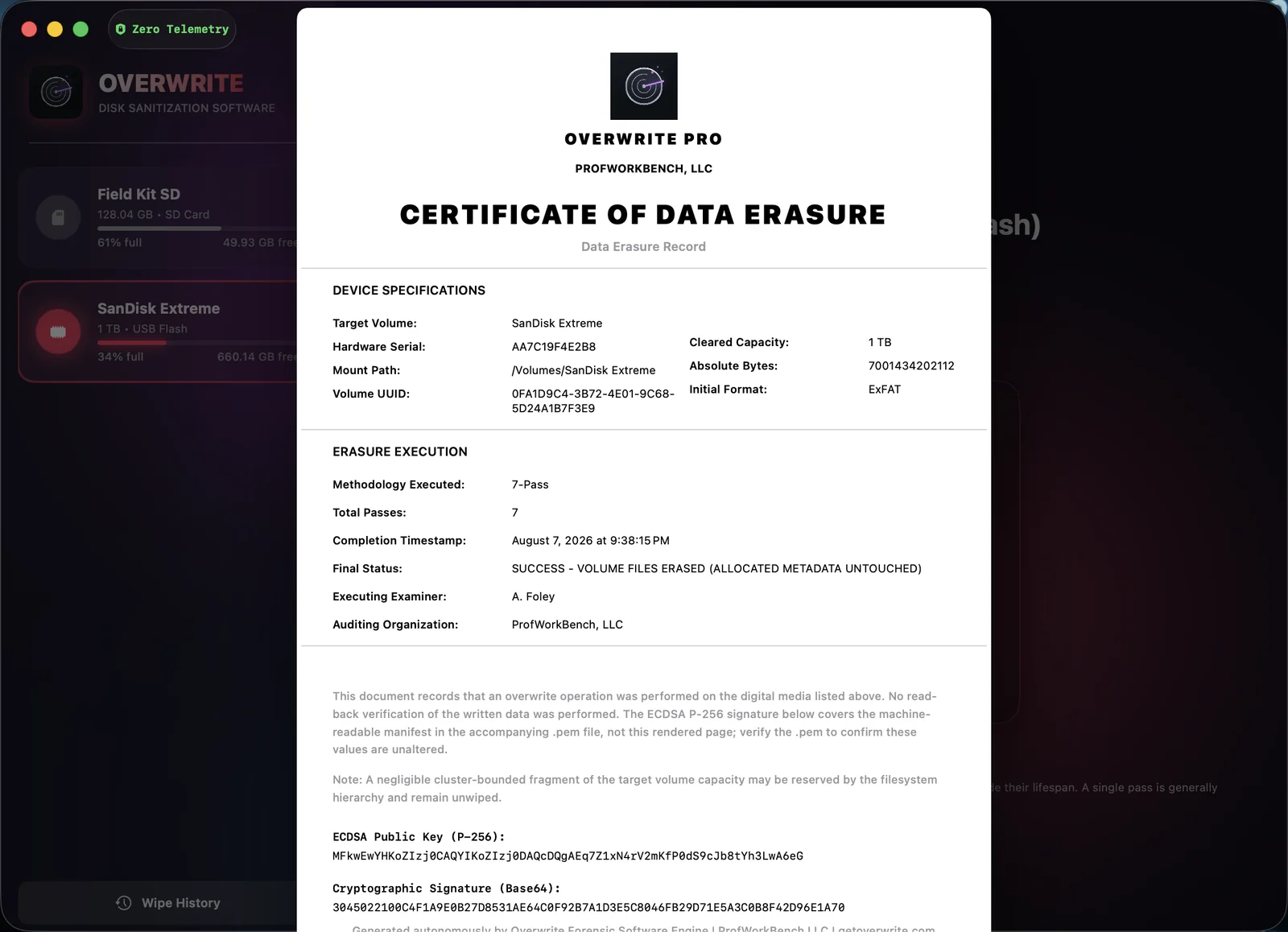
Certificate of ErasureCryptographically signed · generated locally

              
Built different

Engineered for paranoia.
Designed for everyone.

No terminal. No jargon. Just serious data destruction wrapped in an interface your parents could use.

Prove it

Forensic erasure certificates

Every wipe can generate a PDF Certificate of Erasure, signed locally with ECDSA keys. Selling a drive, returning company gear, or just want receipts? You have mathematical proof it’s clean.

Private by design

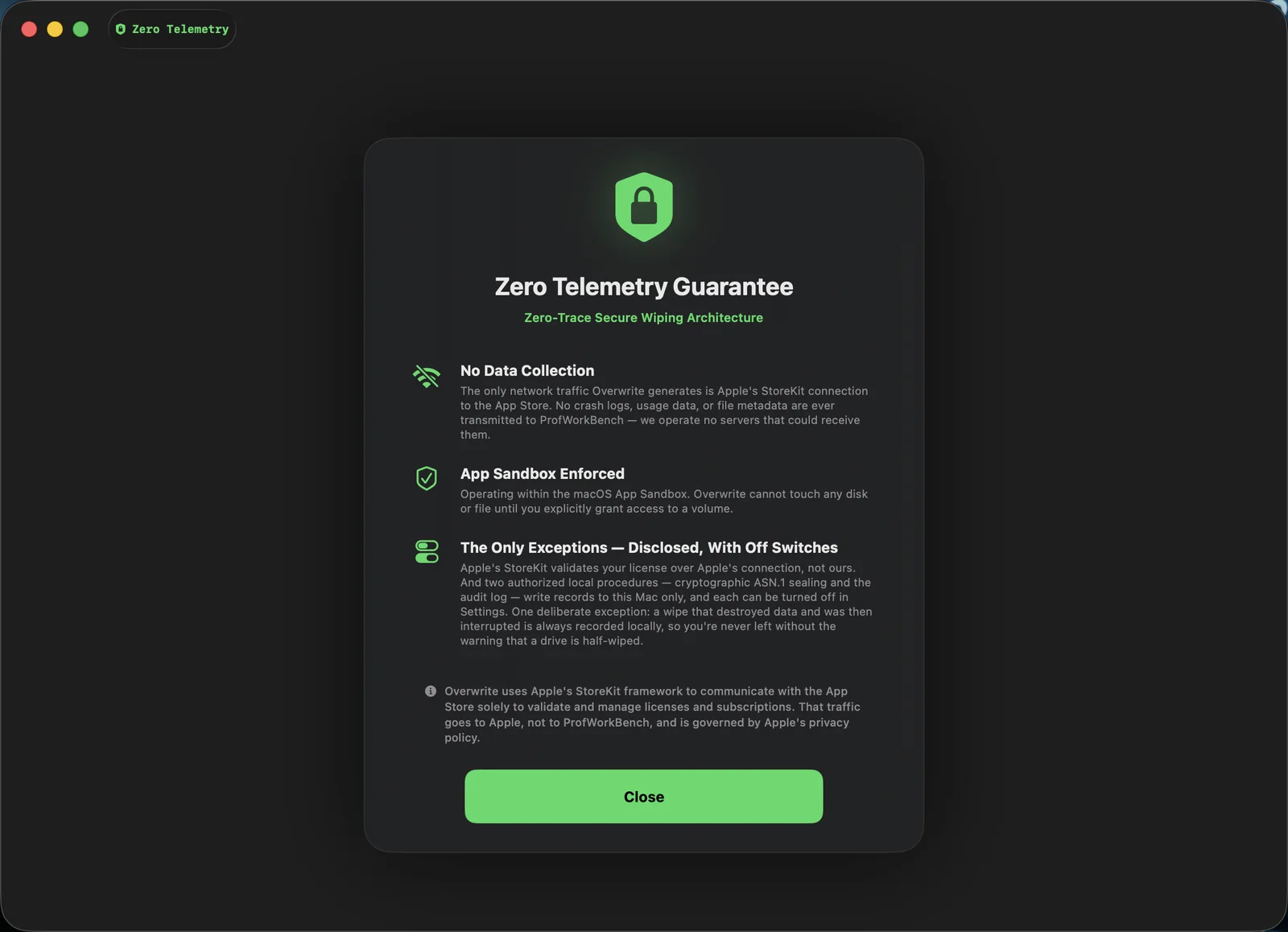
Absolute zero telemetry

Overwrite runs fully offline. It doesn’t track, collect, or transmit anything — no analytics, no crash reports, no phoning home. A privacy tool that spies on you isn’t a privacy tool.

Smart

Smart APFS safeguards

Read-only partition? Hidden volume snapshot lurking on the drive? Overwrite detects the traps that silently break other wipe tools and walks you through fixing them — before the wipe starts.

Zero friction

Automatic unmounting

Overwrite force-ejects the volume from Finder before a single byte is written, so nothing on your Mac can collide with the wipe mid-flight. You don’t think about it. It just works.

What’s new

Overwrite speaks your language. All fifteen of them.

Localization
Securely erased.English

Fully localized, fully native

English, Arabic, French, German, Hebrew, Hindi, Italian, Japanese, Korean, Portuguese, Russian, Simplified Chinese, Spanish, Traditional Chinese, and Turkish — a complete native catalog, not machine-translated strings.

Accessibility

Universal accessibility

Full VoiceOver support, custom navigation triggers, and fluid text that never truncates. Built to WCAG and Apple HIG standards — secure erasure for every user.

Onboarding

Two slides. That’s it.

A streamlined linear onboarding gets you to your first wipe in seconds — and locks zero-telemetry preferences on first launch, so private is the default, not a setting.

Editions

One eraser. Three ways to run it.

Most people want Pro from the Mac App Store. Professionals who need raw device access and a court-ready certificate run Elite. Labs and organizations run Enterprise.

Overwrite Pro For everyone with an external drive to clear.
$12.99 / $24.99
Free to preview · Annual $12.99 · Lifetime $24.99
  • On the Mac App Store — sandboxed and signed by Apple
  • Wipes external and removable drives
  • Signed erasure certificates
  • 15 languages, full accessibility
See Pro plans
For professionals
Overwrite Elite For forensic examiners and IT asset disposal.
$99one-time
Lab Pack $399 · Site License from $2,999
  • Raw whole-device access through a privileged helper — beyond what the App Store sandbox allows
  • A court-ready Certificate of Erasure, cryptographically signed
  • A standalone verifier anyone can run against the certificate
  • Read-back verification with an honest coverage figure
  • External and removable media
Get Elite

Direct download. Not on the App Store — the sandbox forbids the helper Elite needs.

Enterprise For labs and organizations.
Customfrom $7,500
Site-wide licensing, quoted to your requirements.
  • Everything in Elite, licensed across your organization
  • Your organization’s name and logo on every certificate
  • One consolidated erasure record — built to your requirements
  • Purchase order, W-9, and invoice
Contact sales

Pro is billed by Apple through the Mac App Store. Elite and Enterprise are sold directly by ProfWorkBench.

Pricing

Preview it first. One tap to unlock.

Download the app and preview it with your own drives — scan, map sectors, explore. When you’re ready to wipe, pick your unlock.

Preview

Look before you wipe
$0
Download and explore. No account needed.
  • Scan & inspect any external drive
  • Sector mapping & drive health view
  • Preview all features
  • Secure wiping
  • Erasure certificates
Get the App

Annual Pro

For the quick job today
$12.99/ year
Cancel anytime in the App Store.
  • Everything in Preview
  • Unlimited secure wipes
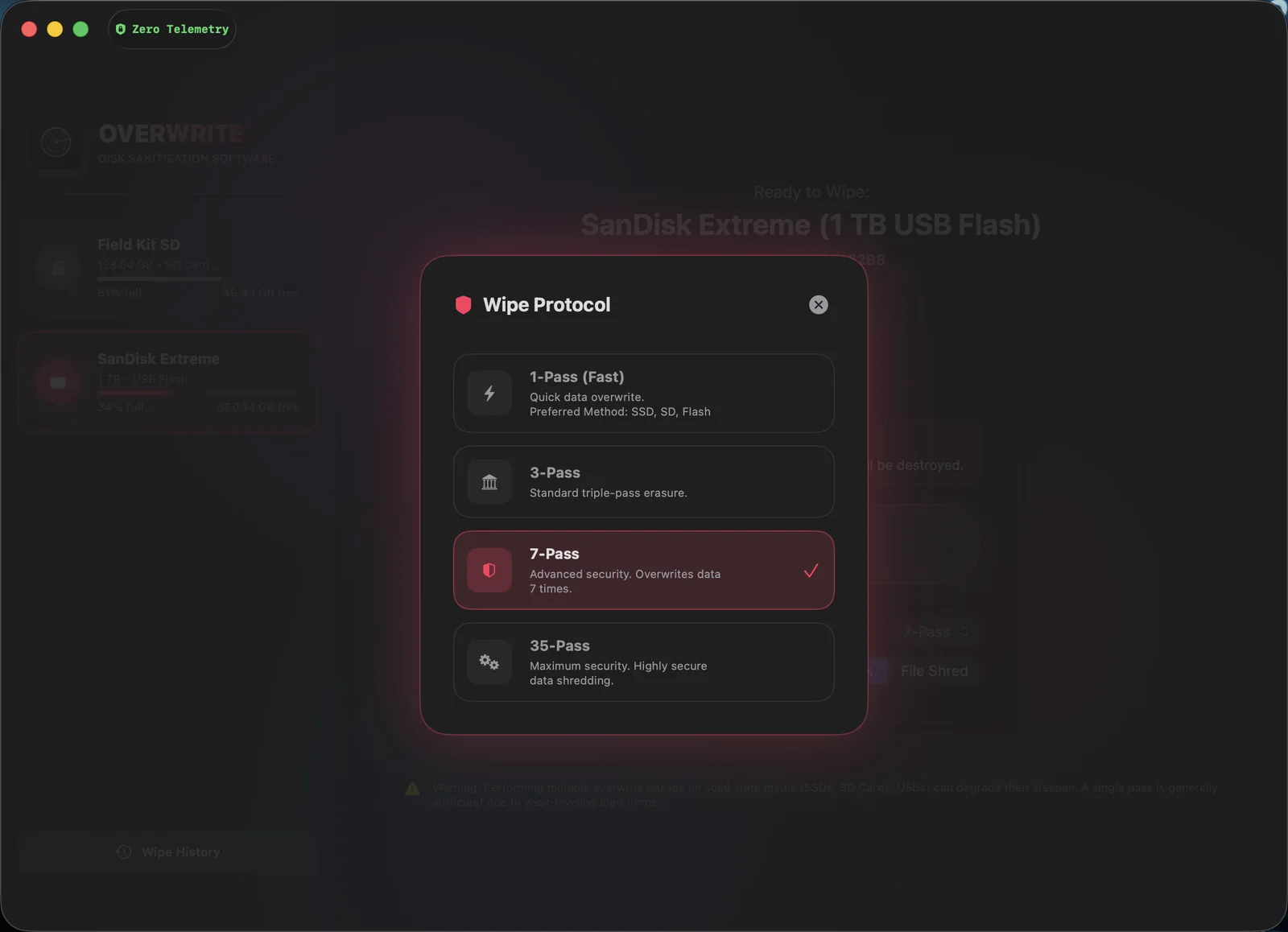
  • All 4 wipe protocols
  • Signed erasure certificates
  • Wipe history & CSV export
Start Annual
Best value · most popular

Lifetime Pro

Pay once, wipe forever
$24.99one-time
Two years of Annual — then free forever.
  • Everything in Annual Pro
  • Never pay again — no subscription
  • Yours on every Mac you own
Get Lifetime

All purchases are handled securely by Apple through the Mac App Store.

Questions

Fair questions, straight answers.

Doesn’t emptying the Trash already delete my files?
No — it only removes the directory entry that points to them. The actual data stays on the drive until it happens to be overwritten by something else. Free recovery tools can restore “deleted” files in minutes. Overwrite replaces the data itself with zeros or random passes, which is why it’s unrecoverable.
Is overwriting safe for SSDs and SD cards?
Yes. For modern flash media, a single pass is generally sufficient because of wear-leveling algorithms — and Overwrite tells you exactly that in the app rather than pushing you to burn write cycles. Multi-pass standards (DoE, DoD, Gutmann) are there when policy or peace of mind requires them.
Can Overwrite wipe my Mac’s internal drive?
Deliberately, no. For your safety, the internal boot drive is protected and hidden — Overwrite is designed exclusively for external and secondary drives: USB sticks, SD cards, external SSDs and HDDs. You can’t accidentally nuke your Mac.
Does Overwrite send my data anywhere?
Never. Overwrite executes fully offline with absolute zero telemetry — no analytics, no tracking, no external servers. Even the erasure certificates are generated and signed locally on your Mac using ECDSA keys.
What exactly is a Certificate of Erasure?
A PDF report generated after a wipe that records the device, method, pass count, and result — cryptographically signed on-device. It’s proof of sanitization for buyers, employers, or auditors, aligned with the NIST 800-88 standard for media sanitization.
What happens if a drive is read-only or has APFS snapshots?
Overwrite detects read-only APFS partitions and hidden volume snapshots before wiping and guides you through resolving them, so you never end up with a wipe that silently didn’t stick.
How do I securely erase a Mac I’m returning or selling?
Use both tools for the job. Macs from 2018 onward (T2 chip or Apple silicon) encrypt their internal drive in hardware — even with FileVault off — so Apple’s built-in “Erase All Content and Settings” destroys the encryption keys and permanently sanitizes the Mac itself. Then run Overwrite on every external drive, USB stick, and SD card that goes with it — those have no built-in protection at all. (Older Intel Macs: turn on FileVault, let it finish, then erase.)
Overwrite app icon

Some files should stay gone.

Download Overwrite and see exactly what’s still living on your drives.